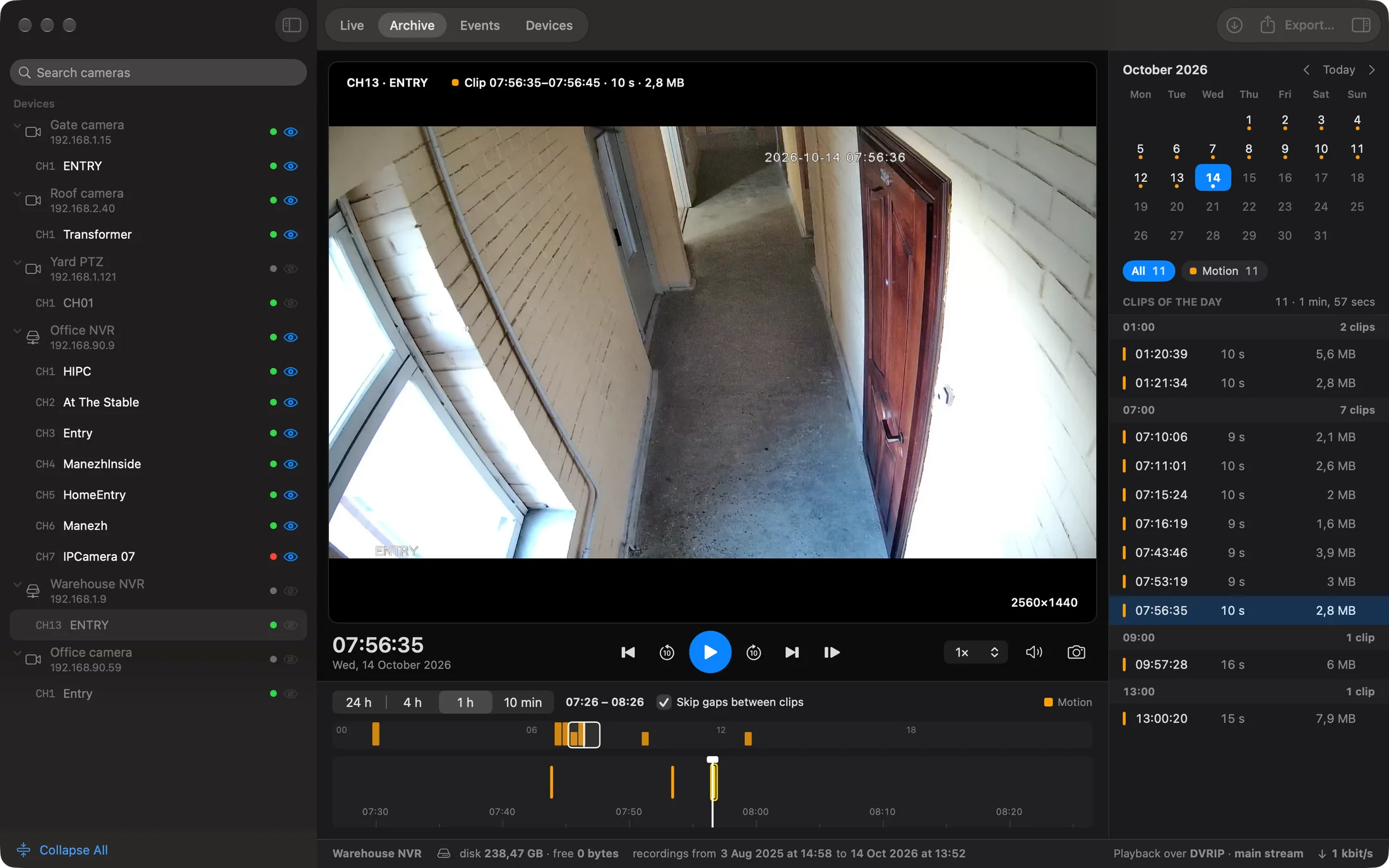
A whole day on one timeline.
Follow motion markers, jump from an event to the recording and export the range you need to MP4.
Bring cameras, recorders and site equipment into one workspace. Organize your sites, share device setups and open live video right where each camera belongs.
Start free. Try advanced features for 30 days when you activate your trial.

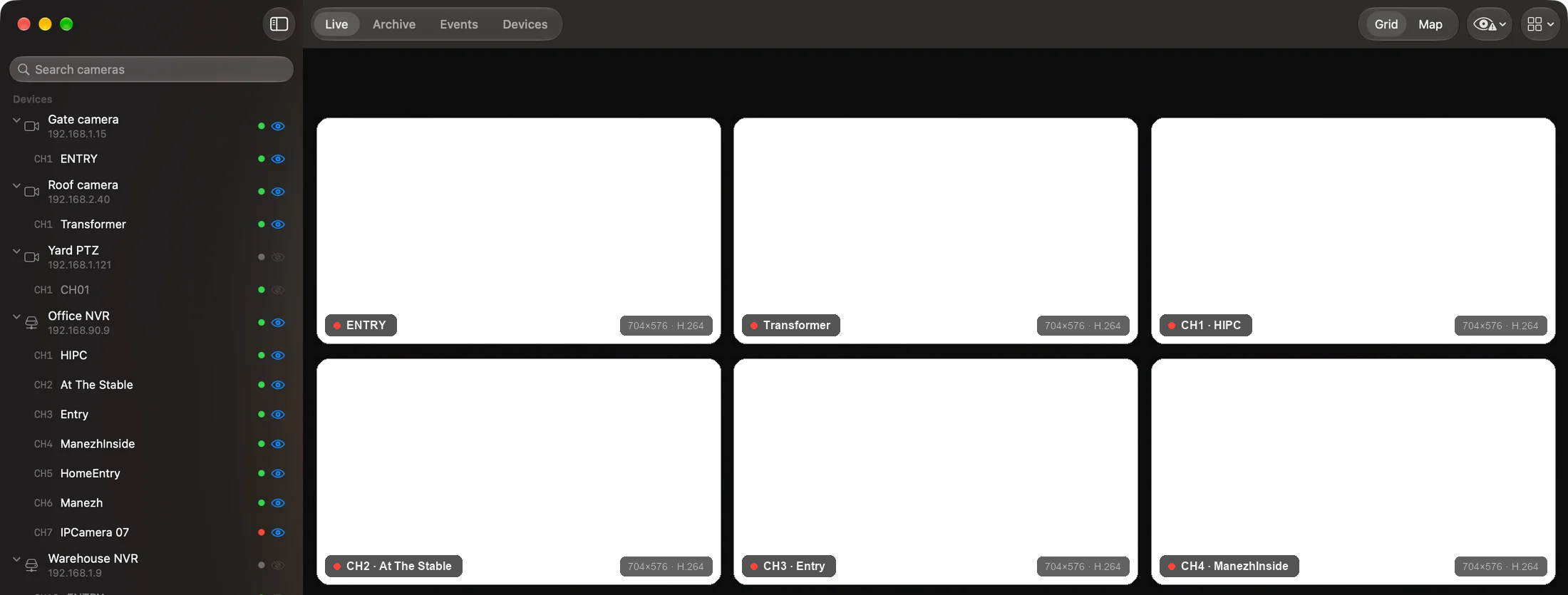
Works with, among others: Manufacturers and protocols
Support keeps growing. Features depend on the model and connection.
Supported devicesAt home on your OS
A workspace built for the system you use. Desktop windows and menus on Mac; touch controls and sheets on iPhone.
Native panels and controls, with room to work on a desktop.
A camera card within reach, with controls made for touch.
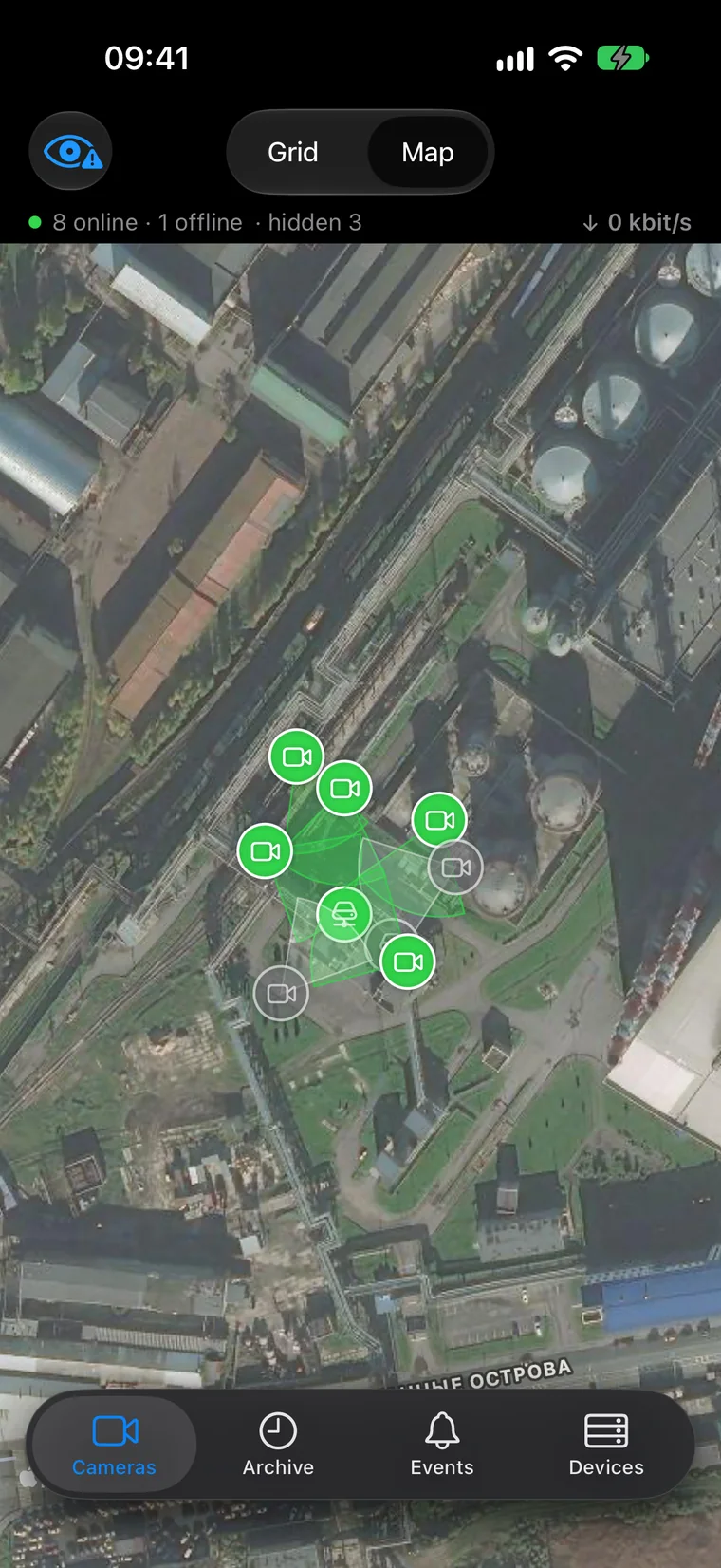
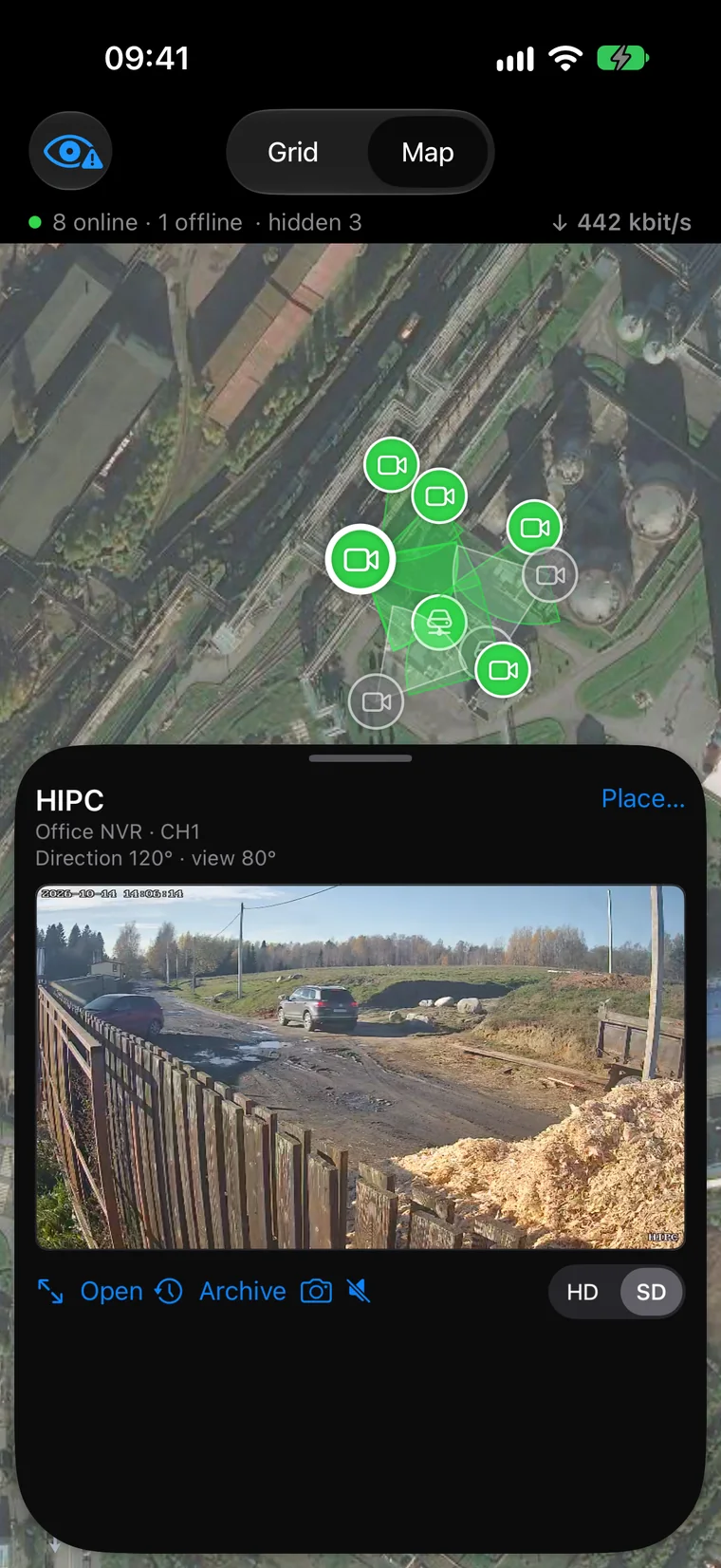
Move around the map and open a camera in a familiar bottom sheet.
Different brands, one site
Sites grow over the years. Keep cameras and recorders from different manufacturers beside their routers, switches and UPS units in one registry. See which addresses answer, then open the channels you need in Live.
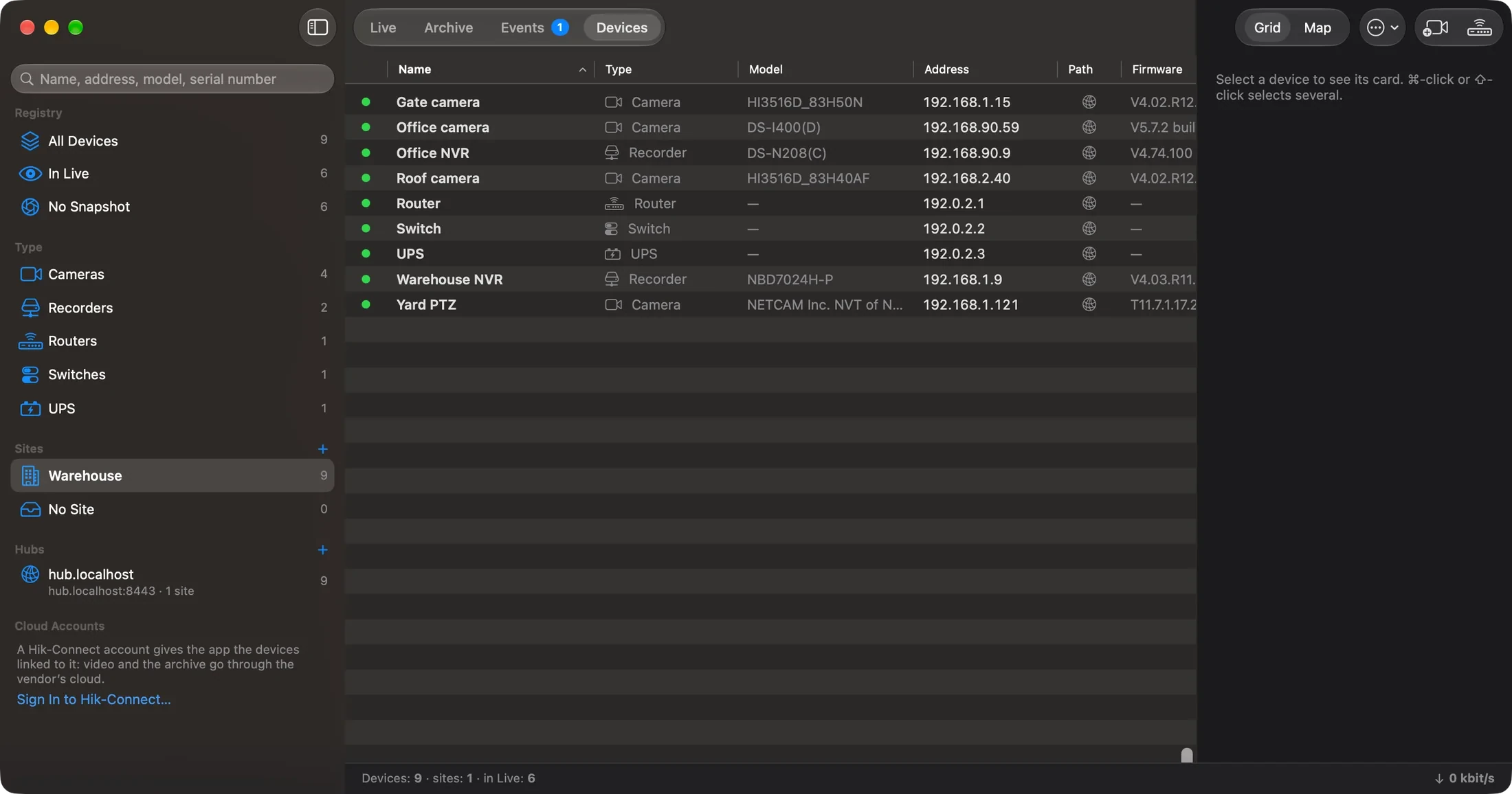
Save a Live set for a site or a task, with its own channel order and layout. Watchpost connects through its own implementations of supported vendor protocols and ONVIF; archive, events and settings depend on the device.
Explore device support →From a camera to a whole site
Add one device by address, discover the local network or prepare a site from an existing list on your Mac.
Enter its network address and credentials. Where supported, use a QR code, a Xiongmai Cloud ID or a Hik-Connect account.
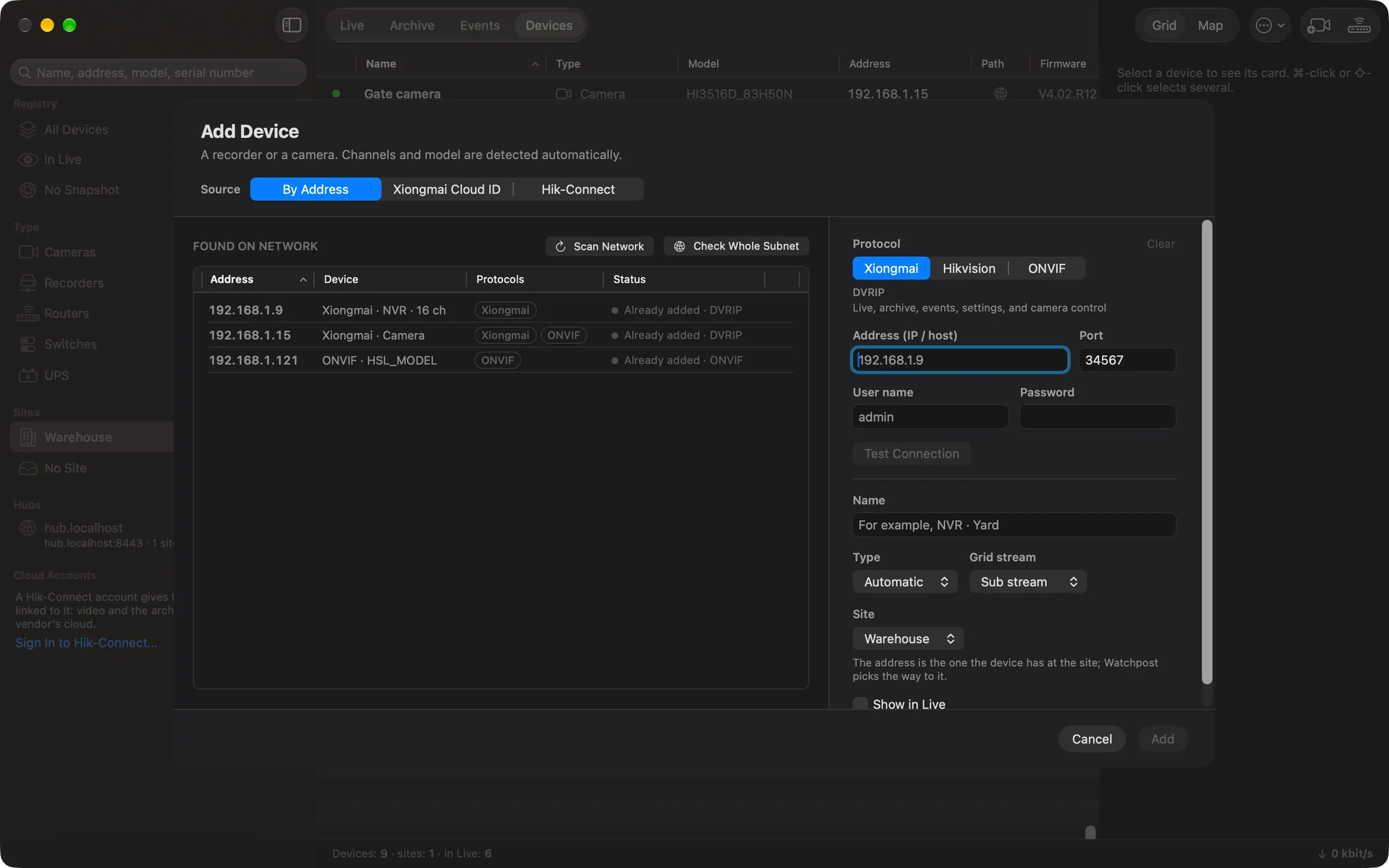
On Mac, discover devices on the local network, identify their protocols and pick the ones to add.
| Name | Address | Protocol |
|---|---|---|
| Entry | 192.0.2.11 | ISAPI |
| Yard | 192.0.2.12 | ONVIF |
| Warehouse | 192.0.2.13 | DVRIP |
Paste rows from Excel, Numbers or CSV on Mac. Check the draft and save devices before you reach the site; verify the connections when you get there.
| Name | Address | Type |
|---|---|---|
| Entry | 192.0.2.11 | Camera |
| Yard | 192.0.2.12 | Camera |
| Warehouse | 192.0.2.13 | Camera |
| Recorder | 192.0.2.20 | NVR |
| Gateway | 192.0.2.1 | Router |
Import a .watchpost registry file. Review its contents and the changes before adding them to your workspace.
Warehouse.watchpost3 cameras · 1 recorder · 1 router
Review the contents before importing
Sign in to receive a registry package in Inbox. Review what it contains and confirm the import.
FromInstallation team
Warehouse.watchpost3 cameras · 1 recorder · 1 router
Review the contents before importing
Registry exchange
Choose the sites and devices to send to another specialist or move to your other computer. Keep the site structure and locations together.
Select what goes into the package.
The recipient gets it inside Watchpost.
Check the changes before accepting.
An encrypted .watchpost file is another way to transfer a registry. You choose what to include. Device configuration snapshots are a separate tool; a package does not grant administrative rights.
Map and floor plans
Start with the site on a map. Place cameras on a building plan and move between floors to find the right view. Open video at the camera’s location instead of searching by IP address.
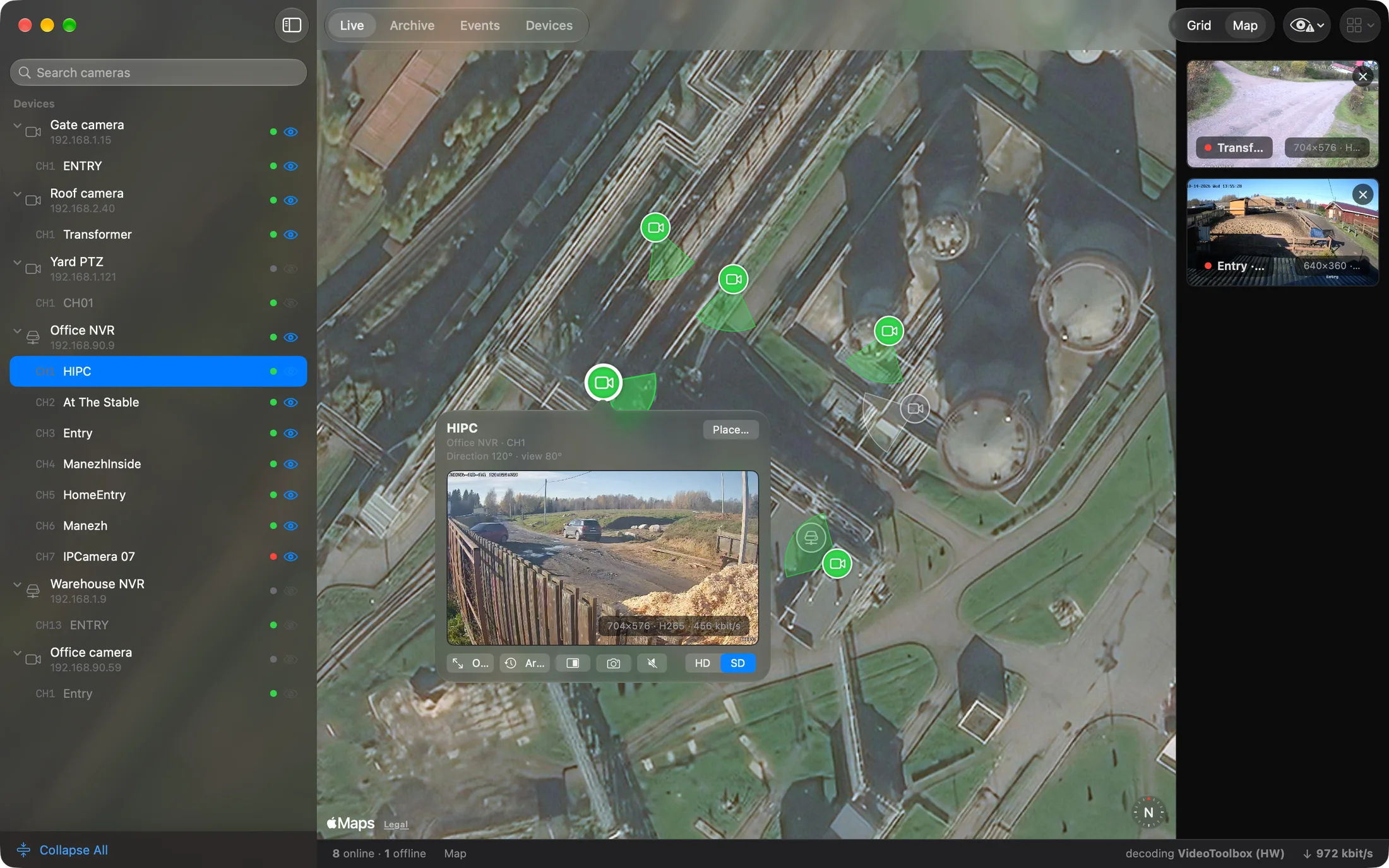
Shown: the map on Mac. Floor plans and their controls vary by platform.
Explore maps and site tools →Follow motion markers, jump from an event to the recording and export the range you need to MP4.
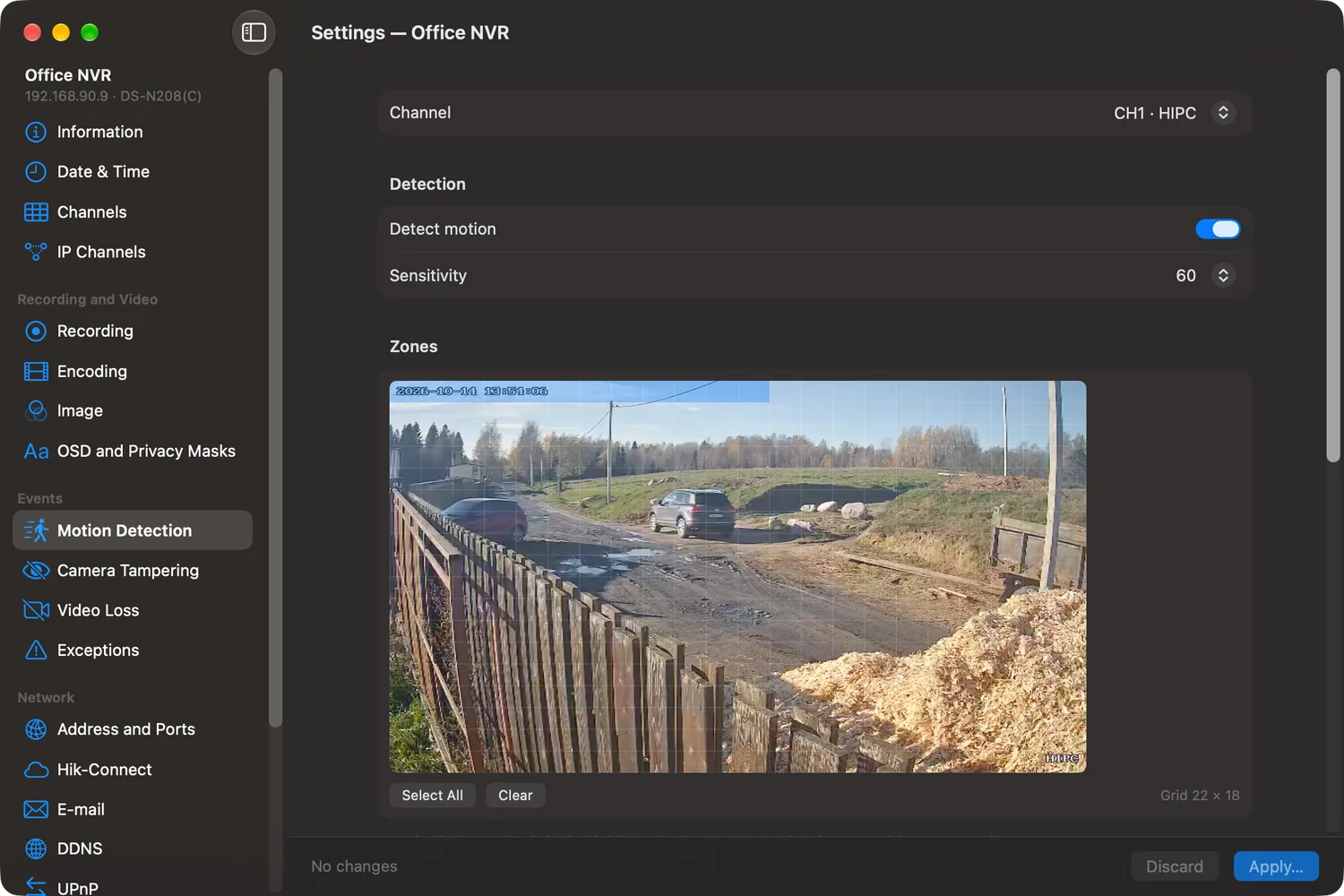
Use native forms for the settings your device supports. Compare changes before writing and keep configuration snapshots for maintenance.
Your own Hub
Connect to remote cameras through a Hub on your own server. Reach the equipment behind each site’s router from the same app you use on the local network.
A plan for your work
Free has no time limit: live view, supported camera controls and device settings, the map and the registry.
Watch recordings and export the moments you need.
Batch entry, registry exchange and configuration snapshots for your working day.
Choose the organization edition. Ask us about the team tools available for your workflow.
Check the supported devices page for your model and connection. Watchpost supports several vendor protocols and ONVIF; the available controls, archive and settings depend on the device.
Yes. Choose the contents of a registry package and transfer it through Inbox or an encrypted .watchpost file. Review the changes before importing. This is a transfer you control, rather than automatic synchronization.
Watchpost connects directly on your network. For remote access through your own Hub, video passes through the server you run.
Sign in with your email in the app and choose Start trial. You get 30 days to try advanced features, once per person. Signing in alone does not start it. After the trial, you can continue with Free.
The interface follows each system, and the feature set varies. The screens here show the actual Mac and iPhone apps. Check the download page for published builds and system requirements.

Start with your first camera. Build the workspace around your sites.
Download Watchpost